
Can’t see what I type on iPad
-
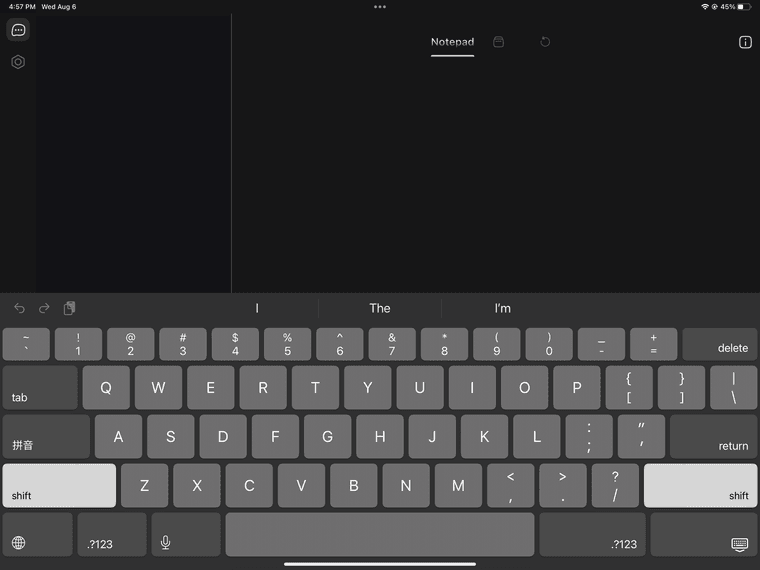
For some time now (forgot since which update), I cannot directly type anything on tetrify on the iPad.
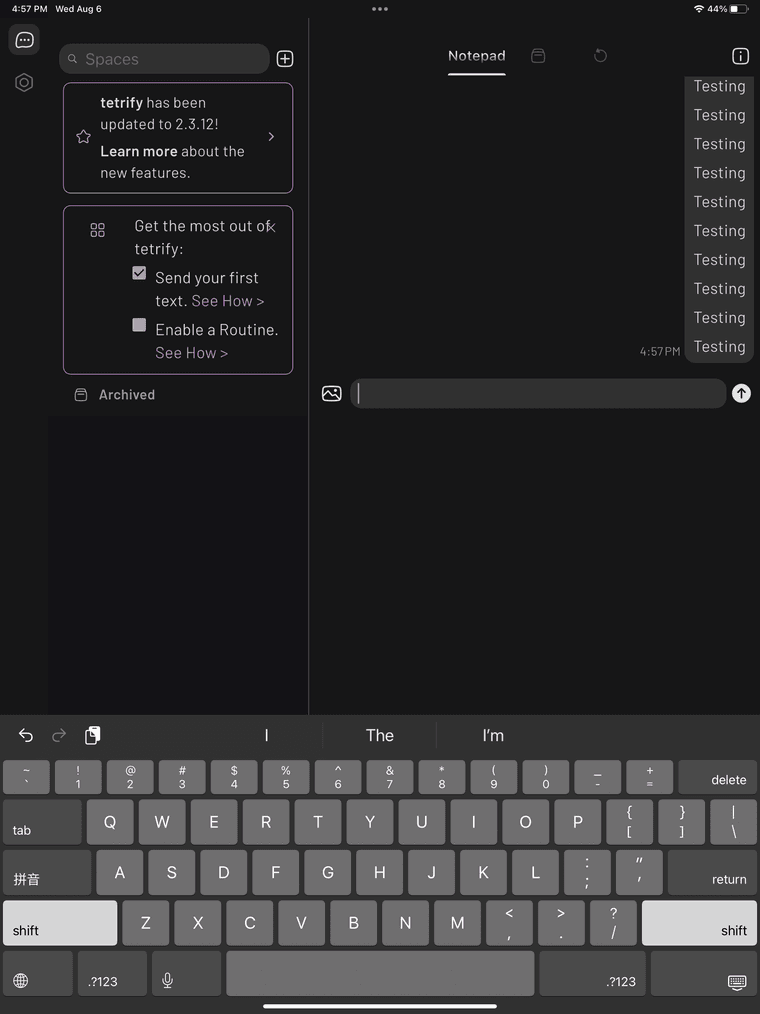
This is because when I select the text box, there is a big pop-up with a lot of empty space that obstructs the text box’s view. Thus I can still type things, but I cannot see anything that I type.
My current workaround is to flip the iPad’s orientation to vertical instead of horizontal, which finally allows me to see the text box, but the empty space popup is still present.
Would definitely appreciate a fix to this bug!
-
-
-
-
-
-
 G gagik moved this topic from Bug Reports on

Hello! It looks like you're interested in this conversation, but you don't have an account yet.
Getting fed up of having to scroll through the same posts each visit? When you register for an account, you'll always come back to exactly where you were before, and choose to be notified of new replies (either via email, or push notification). You'll also be able to save bookmarks and upvote posts to show your appreciation to other community members.
With your input, this post could be even better 💗
Register Login